There is a photocell, under the defroster grill. Over time- they go bad. It's fairly cheap and easy to replace, but the trickiest part is to not crack the dash pad when removing it. You must make an "L" shaped tool from thin sheet metal, and carefully pop up the dash pad at the anchor points.
There are 2 pieces of plastic that need to be removed.
First remove the narrow vent cover. It needs to be removed, so that you can then remove the larger plastic dash pad [panel]. The vent cover will be either a "snap in" trim piece, or it will be held in place by 3 small torx screws.
That larger dash pad piece is held in place by "snap in" tabs. There are 7 points along the width of the dash pad where a tab snaps into the dash.
Starting from the drivers side, the snap in tabs are located at the following distances from the edge of the pad:
2" - 10 1/4" - 18 1/2" - 27 1/2" - 36" - 44 1/2" and 52" on center. Each tab measures 1" wide.
You must make a puller out of lightweight metal using the instructions below.
Prying up with a screwdriver will result in broken clips and big cracks in your dash.
Locate the tabs using the measurements listed above. With the special tool hooked at the location of the tabs where they snap in, you must carefully lift straight up at each of those points until the dash pad is free. Do not use the tool as a pry bar or your dash will be broken.
Dash Pad Removal Tool:
Make a puller out of lightweight metal about 1/16" thick x 5"long [found in most hardware stores]. The tool is made of 1/16" metal. It measures 2-1/2" x 2-1/8". It is 1 inch wide. The lip in the end protrudes out 1/8" You must bend a short (90 degree) lip on it to allow it to hook into the groove. See photos below.
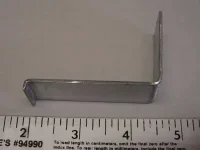
Proper way to insert tool:
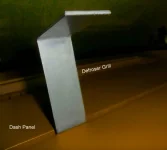
This is what you'll see:

The photocell has a base similar to a 194 bulb. Simply pull it up to remove.
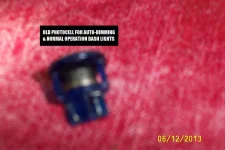
Bend the wires, pull the photocell out of it's base. Pay close attention to how they are routed in the socket.
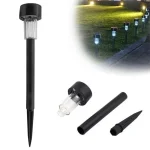
A new photocell can be bought from a local home improvement or Big Box store- as a cheap
Lawn Light
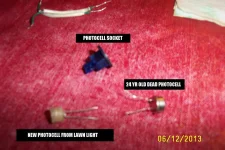
After plugging in the new photocell- test it; cover it with a magazine. Your dimmer with fog, park, or headlights should now work. With '88-'89 you can now dim the CRT separately from the rest of the dash and controls. You will still get a code
B119 because it isn't an OEM part, but it will work.
😎