SteakNEggs
Full Member
- Joined
- Oct 11, 2010
- Messages
- 124
- Reaction score
- 2
- Points
- 0
- Buick Ownership
- 2010 Buick LaCrosse CXL (Out of warranty)
IF you have a 2010 or 2011 and are the least bit interested in getting the strange alphabetical song, or static issue fixed, or are interested in bluetooth streaming, read ALL of this post!
First - Use this guide at your own risk! I will try to cover everything I did, but if something else happens to you that wasn't mentioned here, I will have no clue just as much as you!
Second - Sorry about the lost post, bad video quality and messy car 🙂 - Not sorry if you do not enjoy my taste in music... \m/
Goal - I wanted to fix my thumb drive issue where my music would play per album as selected, until I turned off my car and turned it back in, it would then play alphabetic. I would also experience static every now and then upon start-up, although a simple radio off/on would fix that.
It was recommended to me by Buick CS here that I visit my dealer although I am out of my bumper to bumper (by miles) so I just started looking into the problem.
I learned how the system works, why I have BT Cell Phone (through Onstar VCIM) but not BT AD2P Streaming. I learned that the PDIM, or MDIM (either or) is what is connected to the other end of the USB port.
I also learned that a newer PDIM would not only fix my issues but give me the option of factory BT streaming. A lot of this was thanks to the Camaro and Cruize forums... Which is where I also found this document: http://bit.ly/PaPAId
So before I ordered part listed in in that PI, I wanted to make sure I could physically change it out, I also wanted to find out if my dealer would be willing to re-program my car with the new PDIM (they where).
I used alldatadiy.com to find the location of the PDIM ($9.99 for 6 months using summer2012 code) which was in the passenger compartment dash. To the right and above where you would change the air filter.
I took my car apart per instructions to get at the air filter and saw the PDIM, it looked easy enough so I ordered it ($85 + S&H). http://amzn.to/TQ71jV
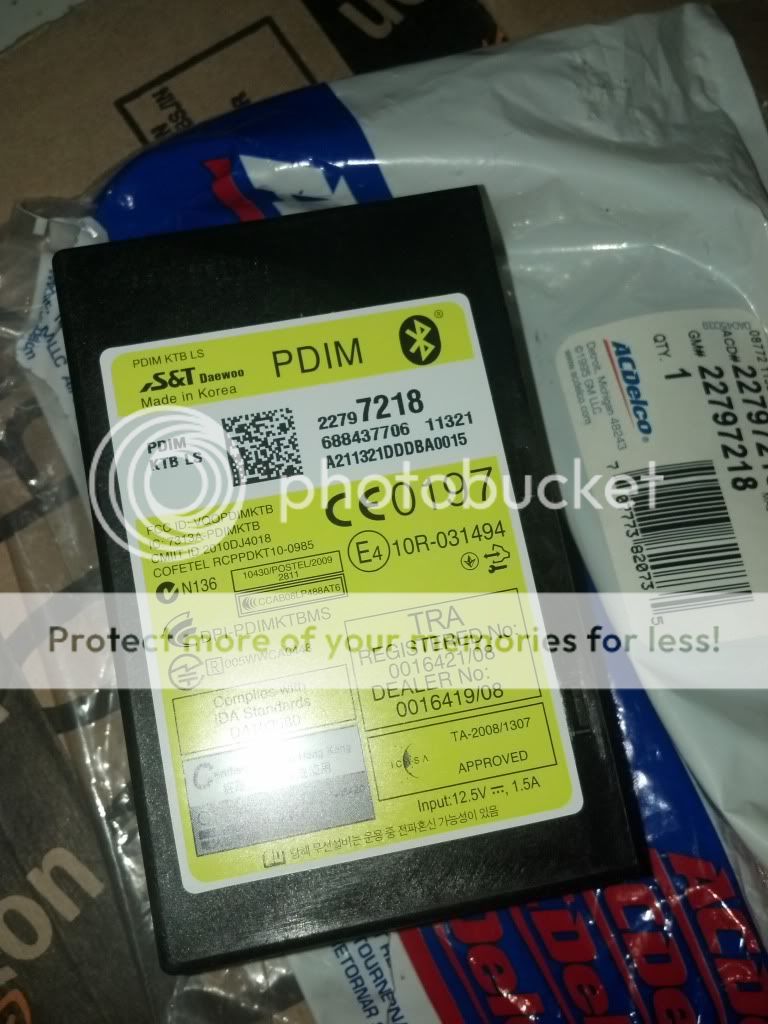
It arrived -
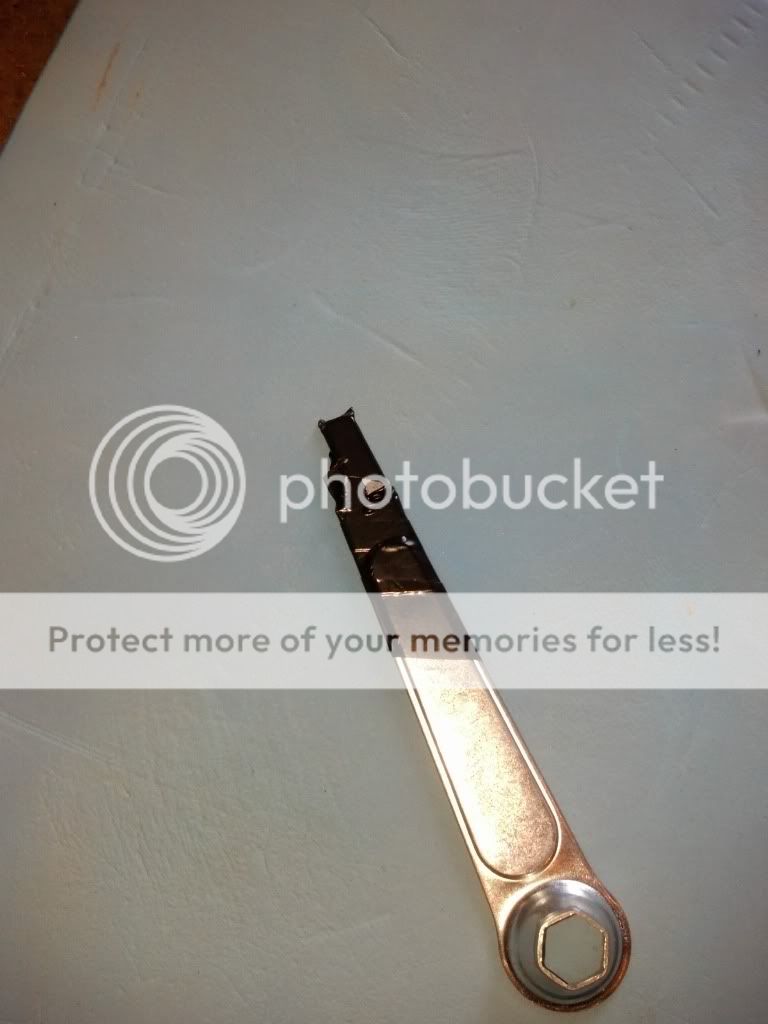
So first I made a shim to open the side panel, used a spark plug wrench with some electrical tape -
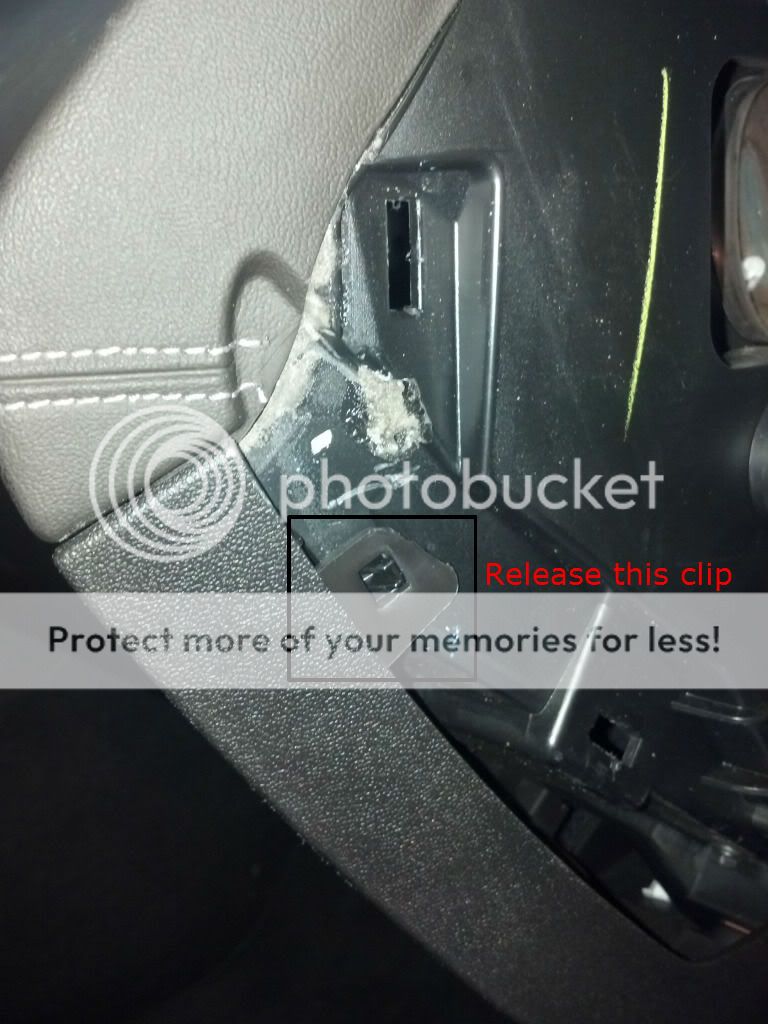
Then I removed the side panel, in the manual it mentions a screw, there is no screw, you simply lift up on this tab -
Once that is done, there are five bolts you need to remove. Two are just below the glove box on each bottom corner, three are just to the top inside the opened glove box. Once these are removed, pull towards you and down at the same time. There are more clips like in the side panel, so be careful.
Once I had it pulled out, I removed the plug for the glove box light to allow it to come down more. The plug has a small clip you need to depress as you pull it out -
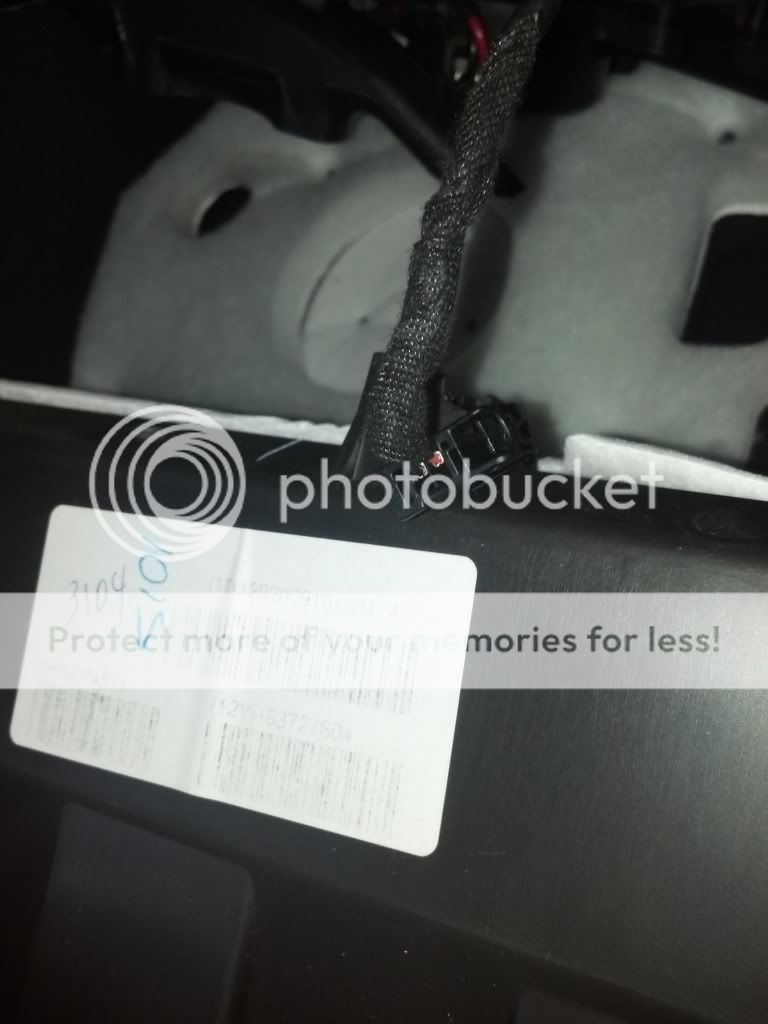
Once that was out, I was able to lay it on the floor, even though there was still a wire connected to the kick panel light -
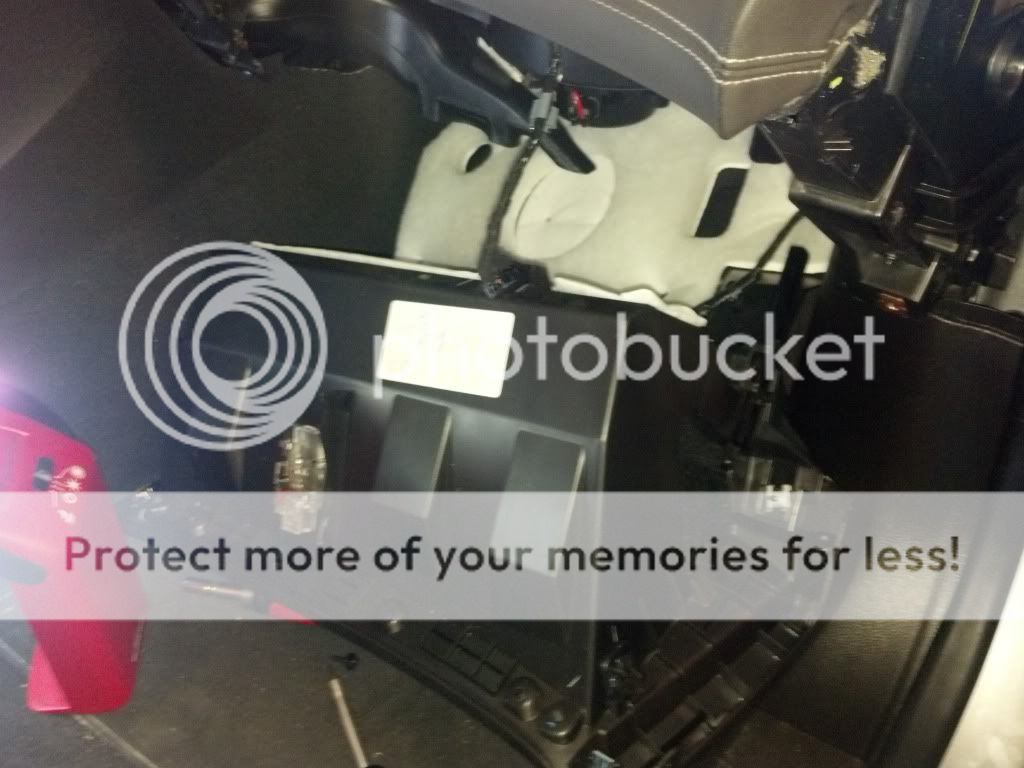
Now, you can see the PDIM -
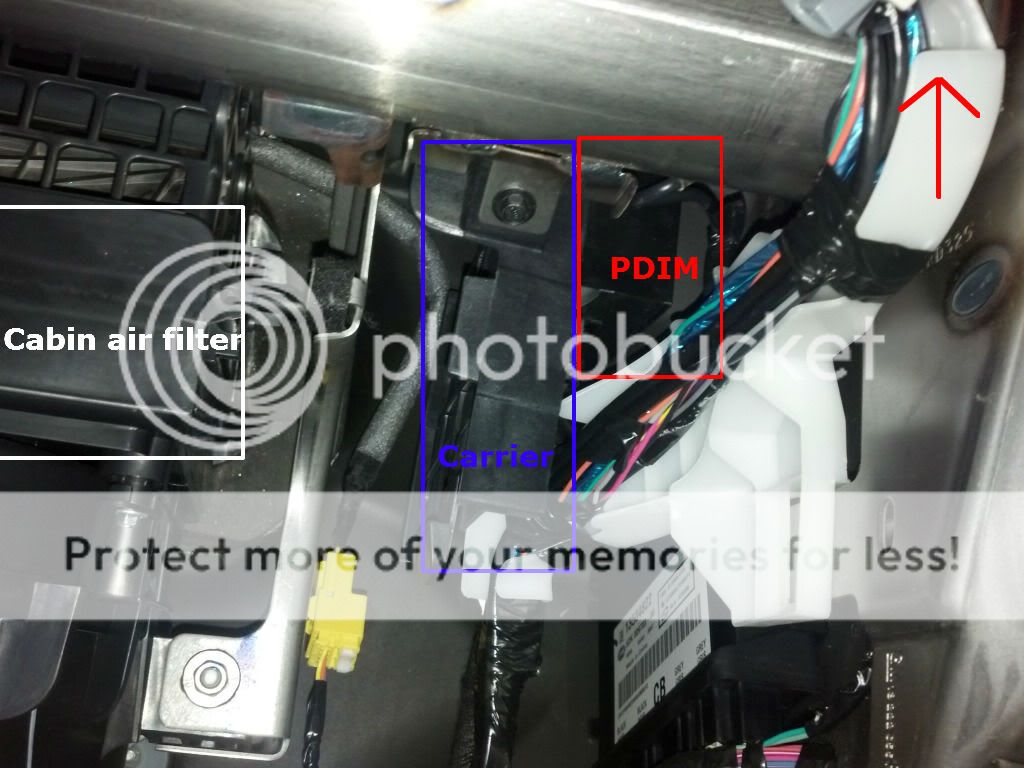
I unscrewed the carrier nut and pulled out the assembly, I just had to wiggle the wires around the white plastic raceway to get it out.
The connectors have tabs, on the smaller (USB) connector I simply pried up the silver tab with a flat head screw driver, with the bigger connector I just had to move the clip down.
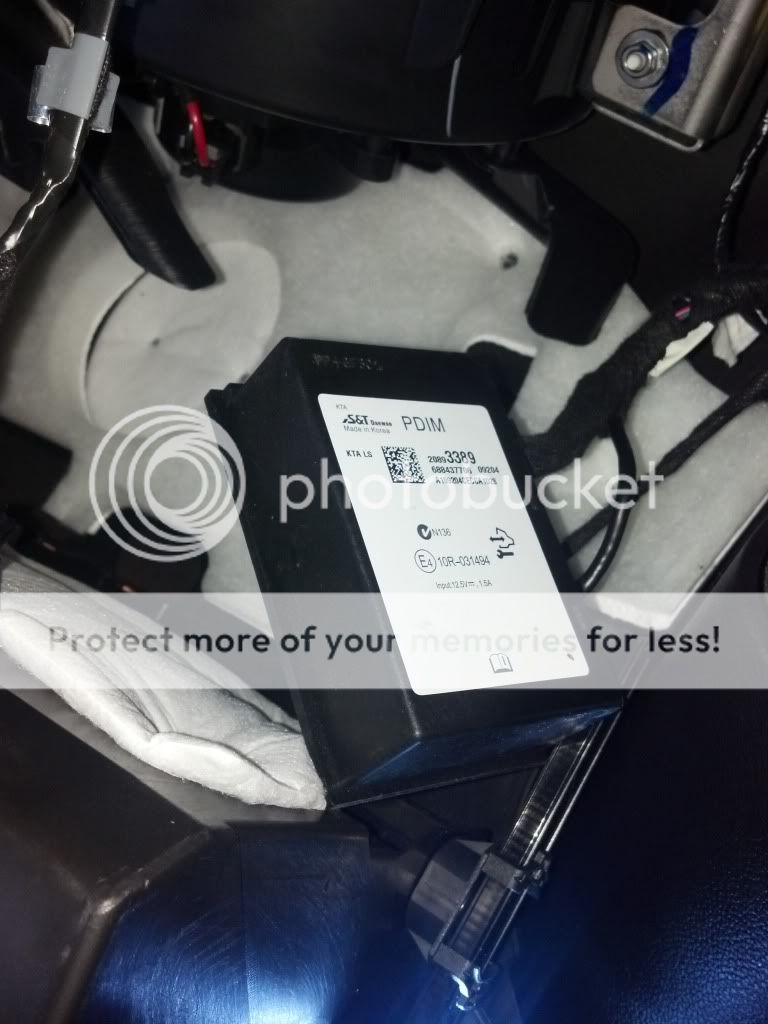
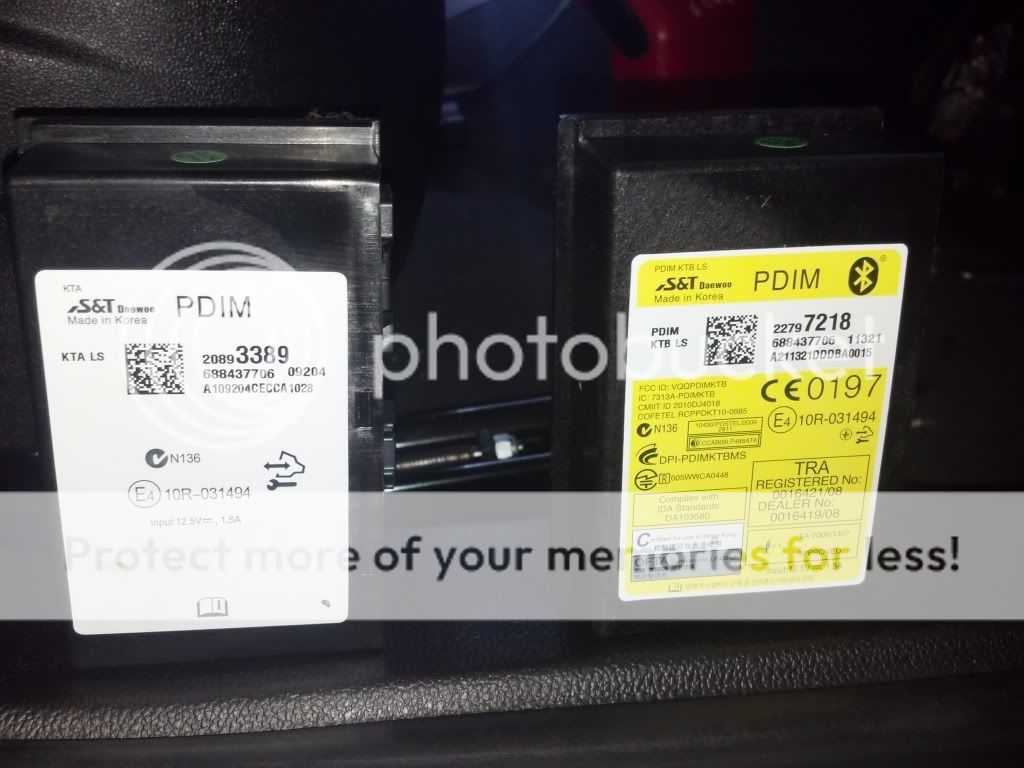
The PDIM's side by side -
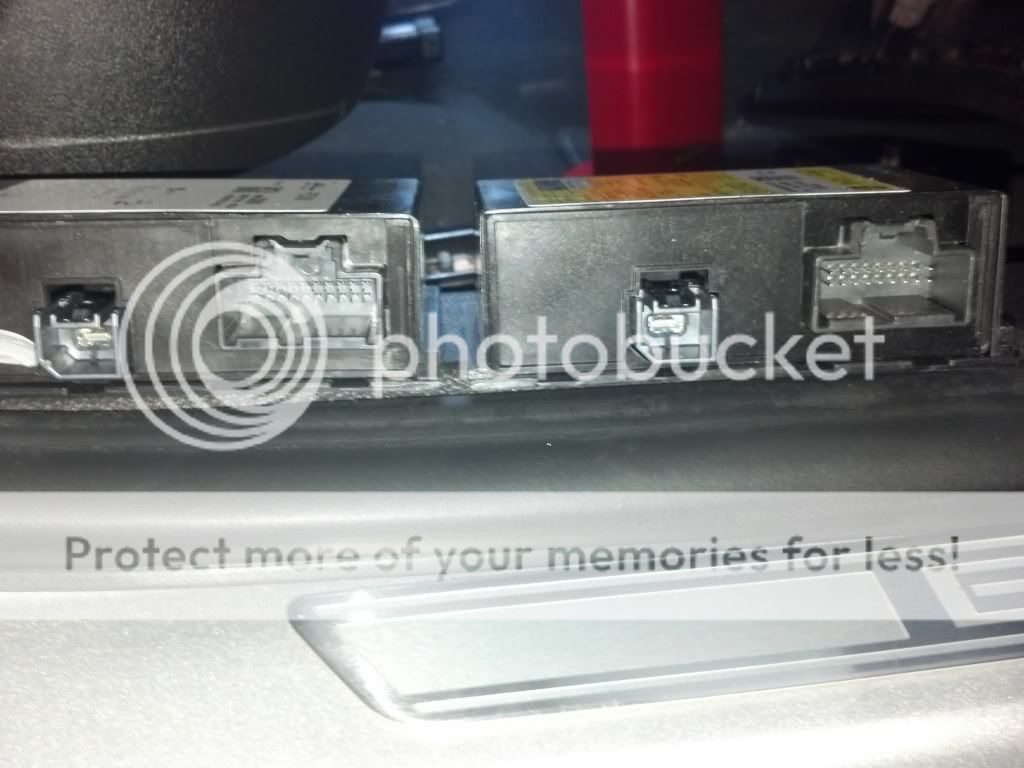
Their connections (One is a typically connector, the other is a mini-USB connector) -
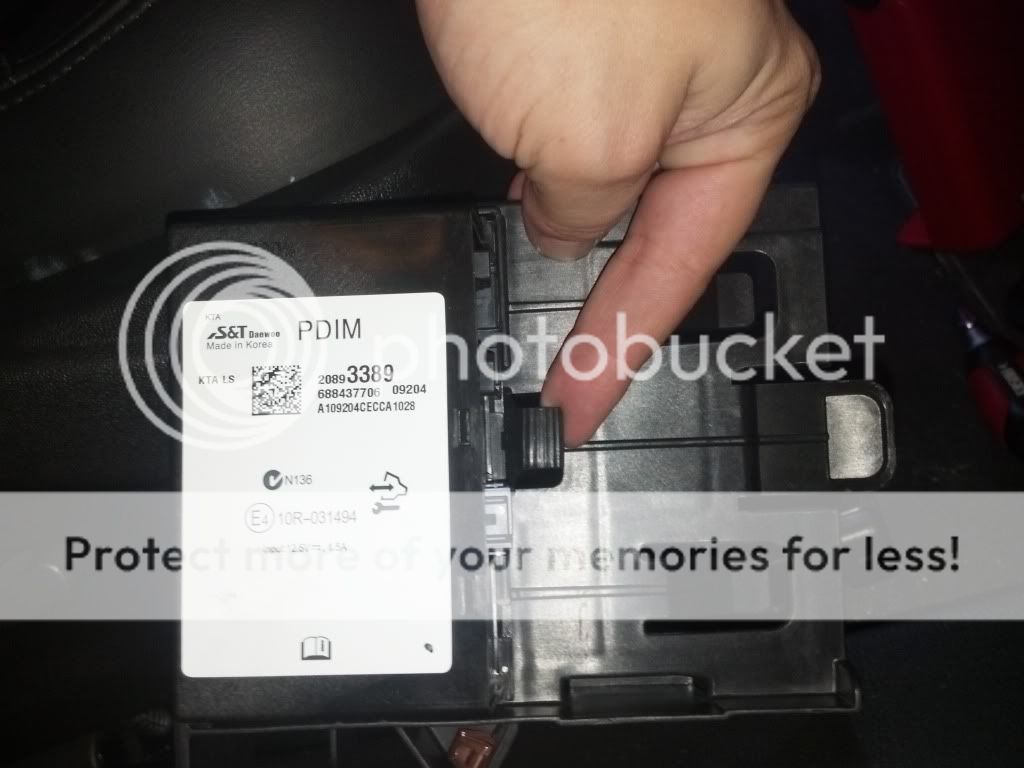
I also noticed that the tab in the carrier was very loose and didn't really hold the PDIM in well -
So I put in the new one, taped it up to the carrier, connected the cables, and put the carrier back in place. THIS was a pain to get it to line up right, be patient and you will get it though.
So, once this was all done I powered up the car to make sure I could still charge my phone - this in theory would tell me the PDIM is not a dud and the cable is inserted all the way.
I had thought I would need to have this re-programed, per the documentation. It doesn't appear to be the case in my situation, everything worked as soon as I turned on my car..
So I tested everything, first thumb-drive...
I selected an album and went through the steps of turning off and on my car, when I turned on the car, my music was playing correctly. As you can see, after turning it on when I select the next track, it stays in the same album, vs' playing whatever song was next alphabetically... [VIDEO]
Connecting my phone to stream music through BT [VIDEO] -
Switching to BT [VIDEO] -
In conclusion -
This took me about 45 minutes to put in. If for some reason something funky happens in the future and I do end up needing to have my car re-programed, I will reply to this thread.
My car has a HK Sound System, I don't know if that matters, in my build sheet the option "KTA - Audio Interface" was listed. I do not know what this means, but it matched the PI Document with the part number. http://bit.ly/PaPAId
If you do NOT have a USB port (I do not know if they all do or not) you MAY be able to add it using the part found here - http://leasexpert.wordpress.com/2010/08/12/2010-2011-buick-lacrosse-pdim-ipod-connector/
If you do not have a USB port, you prob do not have a PDIM.
The PI mentions the 2011 but I do not know if the 2012 supports BT Streaming, I am under the impression from other forums, 2012's without BT Streaming are SOL.
If you are having issues listed in the document, this may be a warentee job for you. However, I have read of dealers NOT ordering the correct part, just ordered the same part # and or just performing the software update. You will have to be very specific that they perform the repair AS PER THIS DOCUMENT. http://bit.ly/PaPAId
If you want to risk it, by installing it yourself like I did, that is on you.
To see what hardware/software version you have, switch to USB input and hold down select until it appears (about 10s). It will disappear as soon as you let go, so keep holding to read it. Mine was CE/CX or something like that, it now correctly is listed as DB/DD.
BT doesn't sound as good as TB or CD, I didn't expect it to, it is just more convenient. Especially when I use my phone as a GPS and play music.
After my first paring, I shut off my car, then later left, it did not pair with my phone automatically, I had to go to the BT menu and force it to about three times. Although, after I again shut off my car and let it sit for about 15 minutes, it has paired automatically twice now.
In order to pair bluetooth, you have to go to USB, then hit select. I think going to USB activates the PDIM and supplies the menu option, I haven't found any other way to get to the bluetooth option.
I hope this helps, I thought it was relatively easy to do and for less than $100 which I would had paid for a BT Adapter plugged into my AUX port. This is a lot better, especially since I can advance tracks using my steering and radio controls. I just wish the Lacrosse had a play/pause button like my Ford.
I AM SORRY THIS IS SO LONG.... 😀
First - Use this guide at your own risk! I will try to cover everything I did, but if something else happens to you that wasn't mentioned here, I will have no clue just as much as you!
Second - Sorry about the lost post, bad video quality and messy car 🙂 - Not sorry if you do not enjoy my taste in music... \m/
Goal - I wanted to fix my thumb drive issue where my music would play per album as selected, until I turned off my car and turned it back in, it would then play alphabetic. I would also experience static every now and then upon start-up, although a simple radio off/on would fix that.
It was recommended to me by Buick CS here that I visit my dealer although I am out of my bumper to bumper (by miles) so I just started looking into the problem.
I learned how the system works, why I have BT Cell Phone (through Onstar VCIM) but not BT AD2P Streaming. I learned that the PDIM, or MDIM (either or) is what is connected to the other end of the USB port.
I also learned that a newer PDIM would not only fix my issues but give me the option of factory BT streaming. A lot of this was thanks to the Camaro and Cruize forums... Which is where I also found this document: http://bit.ly/PaPAId
So before I ordered part listed in in that PI, I wanted to make sure I could physically change it out, I also wanted to find out if my dealer would be willing to re-program my car with the new PDIM (they where).
I used alldatadiy.com to find the location of the PDIM ($9.99 for 6 months using summer2012 code) which was in the passenger compartment dash. To the right and above where you would change the air filter.
I took my car apart per instructions to get at the air filter and saw the PDIM, it looked easy enough so I ordered it ($85 + S&H). http://amzn.to/TQ71jV
It arrived -
So first I made a shim to open the side panel, used a spark plug wrench with some electrical tape -
Then I removed the side panel, in the manual it mentions a screw, there is no screw, you simply lift up on this tab -
Once that is done, there are five bolts you need to remove. Two are just below the glove box on each bottom corner, three are just to the top inside the opened glove box. Once these are removed, pull towards you and down at the same time. There are more clips like in the side panel, so be careful.
Once I had it pulled out, I removed the plug for the glove box light to allow it to come down more. The plug has a small clip you need to depress as you pull it out -
Once that was out, I was able to lay it on the floor, even though there was still a wire connected to the kick panel light -
Now, you can see the PDIM -
I unscrewed the carrier nut and pulled out the assembly, I just had to wiggle the wires around the white plastic raceway to get it out.
The connectors have tabs, on the smaller (USB) connector I simply pried up the silver tab with a flat head screw driver, with the bigger connector I just had to move the clip down.
The PDIM's side by side -
Their connections (One is a typically connector, the other is a mini-USB connector) -
I also noticed that the tab in the carrier was very loose and didn't really hold the PDIM in well -
So I put in the new one, taped it up to the carrier, connected the cables, and put the carrier back in place. THIS was a pain to get it to line up right, be patient and you will get it though.
So, once this was all done I powered up the car to make sure I could still charge my phone - this in theory would tell me the PDIM is not a dud and the cable is inserted all the way.
I had thought I would need to have this re-programed, per the documentation. It doesn't appear to be the case in my situation, everything worked as soon as I turned on my car..
So I tested everything, first thumb-drive...
I selected an album and went through the steps of turning off and on my car, when I turned on the car, my music was playing correctly. As you can see, after turning it on when I select the next track, it stays in the same album, vs' playing whatever song was next alphabetically... [VIDEO]
Connecting my phone to stream music through BT [VIDEO] -
Switching to BT [VIDEO] -
In conclusion -
This took me about 45 minutes to put in. If for some reason something funky happens in the future and I do end up needing to have my car re-programed, I will reply to this thread.
My car has a HK Sound System, I don't know if that matters, in my build sheet the option "KTA - Audio Interface" was listed. I do not know what this means, but it matched the PI Document with the part number. http://bit.ly/PaPAId
If you do NOT have a USB port (I do not know if they all do or not) you MAY be able to add it using the part found here - http://leasexpert.wordpress.com/2010/08/12/2010-2011-buick-lacrosse-pdim-ipod-connector/
If you do not have a USB port, you prob do not have a PDIM.
The PI mentions the 2011 but I do not know if the 2012 supports BT Streaming, I am under the impression from other forums, 2012's without BT Streaming are SOL.
If you are having issues listed in the document, this may be a warentee job for you. However, I have read of dealers NOT ordering the correct part, just ordered the same part # and or just performing the software update. You will have to be very specific that they perform the repair AS PER THIS DOCUMENT. http://bit.ly/PaPAId
If you want to risk it, by installing it yourself like I did, that is on you.
To see what hardware/software version you have, switch to USB input and hold down select until it appears (about 10s). It will disappear as soon as you let go, so keep holding to read it. Mine was CE/CX or something like that, it now correctly is listed as DB/DD.
BT doesn't sound as good as TB or CD, I didn't expect it to, it is just more convenient. Especially when I use my phone as a GPS and play music.
After my first paring, I shut off my car, then later left, it did not pair with my phone automatically, I had to go to the BT menu and force it to about three times. Although, after I again shut off my car and let it sit for about 15 minutes, it has paired automatically twice now.
In order to pair bluetooth, you have to go to USB, then hit select. I think going to USB activates the PDIM and supplies the menu option, I haven't found any other way to get to the bluetooth option.
I hope this helps, I thought it was relatively easy to do and for less than $100 which I would had paid for a BT Adapter plugged into my AUX port. This is a lot better, especially since I can advance tracks using my steering and radio controls. I just wish the Lacrosse had a play/pause button like my Ford.
I AM SORRY THIS IS SO LONG.... 😀